Genius G-Pen M712 Graphics Tablet
![]() |
Genius 31100005100 M712 G Pen Tablet List Price: |
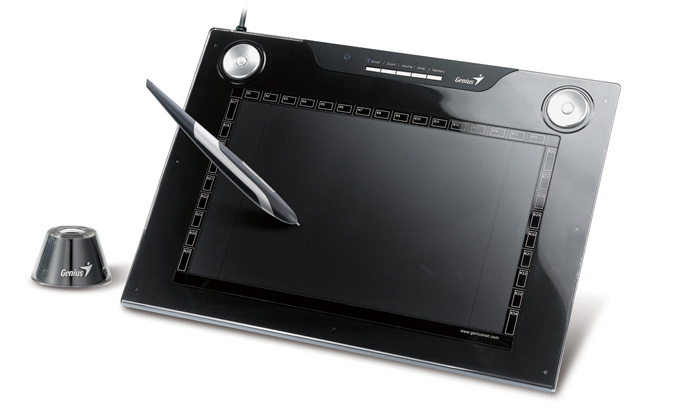
The manufacturer of PC and Mac hardware peripherals, Genius has pulled it out the bag again with the Genius G-Pen M712 Graphics Tablet. This space age, uniquely designed tablet offers many things that more expensive manufacturers do not. The range of G-Pen graphics tablets they make are all classed as entry level due to the price they are sold at, but they are by no means inferior to their more expensive cousins.
The G-Pen M712 is the flagship, top of the range Graphics Tablet in Genius’s product line. It has the largest active drawing area of any of their tablets and also provides some physical buttons and interfaces to be used with your fingers too. It has a high 4000lpi (lines per inch) resolution which is great for working with larger images and will give you better and finer control over the output of the pen. The M712 also has the ability to switch between standard and widescreen sized active working areas, so those of you who are still holding onto that old CRT monitor will be glad.
![]() Genius G Pen M712 12x7 Dual Mode Multi Media Graphic Tablet US $90.00
|
![]() Genius G Pen M609X M712X Tablet Stylus Pen Only US $25.00
|
![]() Genius M609 M712 Tablet Pen Tips Pen Refills only US $5.00
|
Around the inside of the sleek, black bezel you will find 34 fast shortcut keys that give you access to frequently used applications, macros or menu commands. These can all be customized using the software and drivers supplied on CD. The border also contains 2 “rolling pads”, one each for right and left handed users. These pads, when used in conjunction with 5 selector buttons in between will give you access to control things like scrolling, zooming and even adjusting the volume by the use of rotating the rolling pad left or right.
The supplied cordless pen features 2 buttons that allow you to quickly and easily adjust the style of your stroke when writing, annotating, note taking,drawing or painting and also features 1024 levels of sensitivity which will allow you to be very precise with your work. The pen sits neatly in a separate holder when not in use.
As with all of the other graphics tablets supplied via Genius, the M712 is fully plug and play compatible with Microsoft Windows Vista and can be used with the “write anywhere” functions is provides.
Again, Genius have pulled one out of the bag against the likes of Wacom or Vistablet. The G-Pen M712 is an accomplished USB graphics tablet and is worthy of your attention and consideration. Although some people prefer to opt for a more expensive model from a known brand name such as Wacom, Genius are here to tell you that, all things being equal - they are a great alternative.
| Detail | Value |
|---|---|
| Model Name | Genius G-Pen M712 |
| Includes Pen | Yes (cordless) |
| Includes Mouse | No |
| Widescreen format | Yes (and standard) |
| Supprts left and right handed users | Yes |
| Active Area Size (inches) | 12 x7.25 (wide) 9.5 x7.25 (standard) |
| Physical dimensions (inches) | 19 x 14 x 3 |
| Pressure sensitivity levels | 1024 |
| Programable Keys | 34 |
Incoming search terms:
genius g-pen m712 review, genius m712 review, Genius G-Pen M712 Pen Tablet, genius G-pen M712X review, g-pen m712x review, genius m712 price, Genius Multimedia Tablet G-Pen M712, genius pen refills, genius tablet m712 pen tip, genius tableta g-pen m712 reviewWhat is an interactive pen display
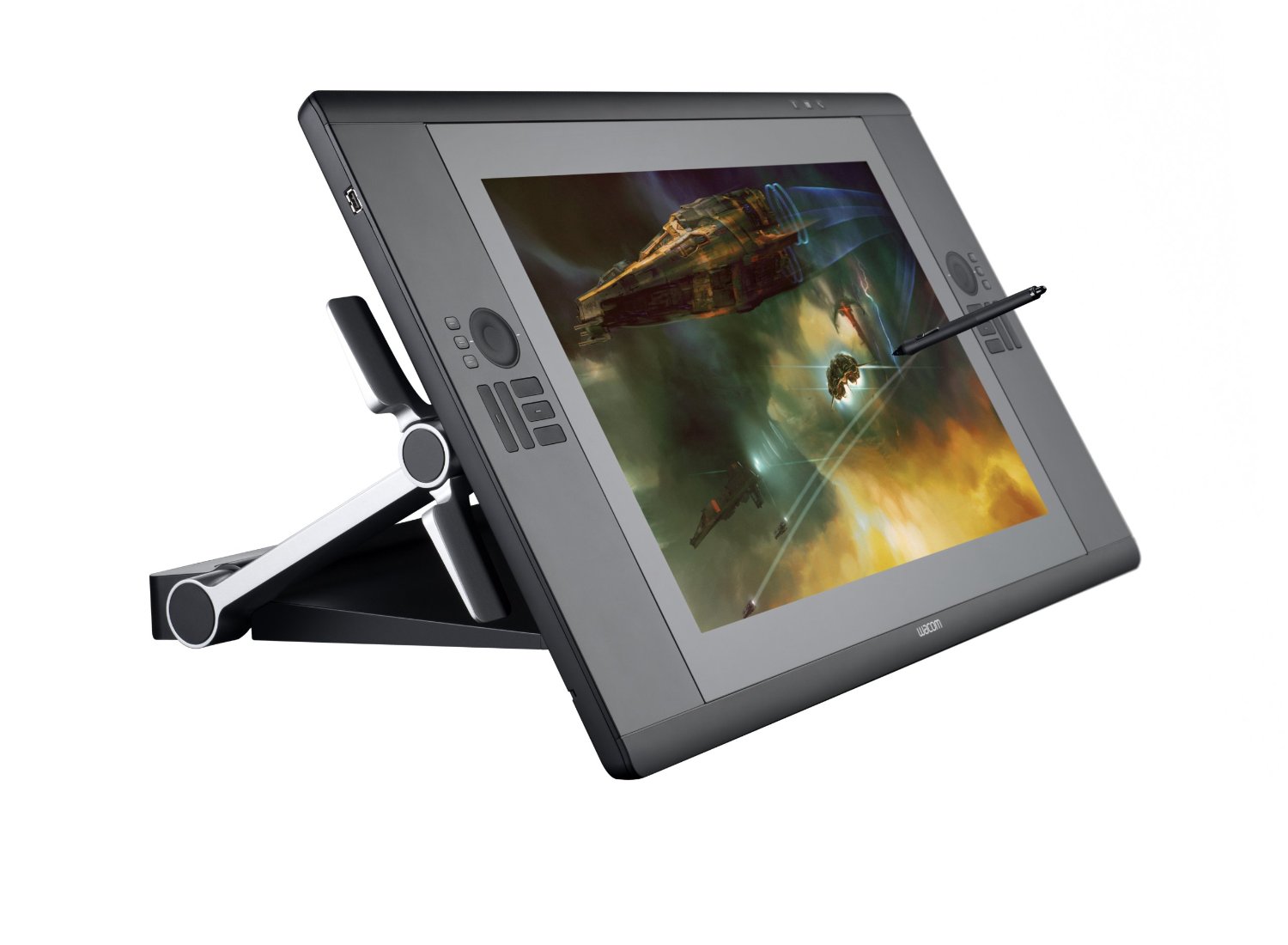
There are now two distinct kinds of graphics tablets, ones with a built in monitor and those that are an external device connected via USB to your PC or Mac. Those with a built in TFT screen are known as Interactive Pen Display devices.
As with a normal USB Graphics Tablet, the user makes input direct onto the device using a stylus or pen. The strokes and marks are then transferred from the device to the computer screen where they are represented by the relevant application, Adobe Photoshop for example. With an Interactive Pen Device, the user draws with the same stylus, but directly onto the screen itself which is housed in a separate unit from the normal monitor. The device also allows the user to quickly select functions, macros and options via a series of quick access buttons or selectors built into the device itself.
If you imagine having your computer monitor at a 45 degree angle and drawing directly onto the screen with a stylus, you have just realised the format of the interactive pen device. With the screen or device at a more natural angle, the user is able to draw and make input to it as if they were working at a drawing board or drafting table. Some of the interactive pen devices such as the Wacom Intuos range, come in a variety of prices and sizes and it would not be uncommon to see someone resting back in their chair with the device in their lap, drawing directly into an application such as Adobe Photoshop or Corel Painter. The smaller devices allow for more portability and give the user a greater range of freedom and comfort, but for the more professional user, the larger displays allow finer control over their images and a better platform for the creation of professional artwork.
The interactive pen devices can become dirty and smudged quicker than a normal graphics tablet and therefore it is important to keep the device as clean as possible. There are special gloves available that cover the hand and little finger that allow you a smoother action on the screen without your skin touching and dragging on the active surface. The glove will also ensure that the screen is kept clean too as grease or dirt may cause issues when using the stylus.
Incoming search terms:
Best Drawing Tablets, interactive displays graphic tablets, graphic tablet interactive, best interactive graphics tablet, interactive pen display graphics tablet, interactive tablet display, interactive pen displays graphics tablets, graphics tablet with interactive display, interactive display graphics tablet, interactive graphics pen tabletWhat size graphics tablet should I buy
The various makers and manufacturers of graphics tablets and interactive pen displays have realised that people want to use them for different things. Some people use them to produce high quality, commercial images used for advertising, print and film, where as others will be used by part time creative people or children.
The smaller and cheaper graphics tablets such as the Wacom Bamboo model have been produced with the younger market in mind. A small, colored tablet that allows even the smallest computer artist to unleash their creativity onto the screen. Wacom have identified that this market needs a smaller canvas to work on and therefore the smaller tablets come in sizes of around 6 x 4 inches active area. This is the area where you can use the pen to draw.
These smaller tablets are perfect for a first time user or someone who may only want to use them to annotate documents or create images now and then. For the person who wants to use the tablet more often, they are supplied in a series of larger sizes, from 6 x 4 inches up to 18 x 12 inches. These graphics tablets are designed with the professional in mind and offer a larger drawing area which in turn will provide a higher resolution output to the screen. The larger the graphics tablet, the more detailed your work will become. Although it may be tempting to start with a larger tablet, if you are a first time user, it might be prudent to start with something smaller.
The next sizes and levels up from these graphics tablets will be the interactive pen displays that allow you to draw directly onto a screen as if you were using the application through the tablet. These products do come at a price as they also incorporate the same technology as a TFT screen but the experience of using one means that you can be more tactile with the image and you will produce better results. The largest of these displays allows you to draw directly onto the same size area as a 21 inch monitor. The “active area” is 17 x 12.5 inches which will allow you to really get to grips with creating digital artwork and images.
To conclude this advice, I suggest that if you are younger, a less frequent user of graphics applications or you just want to try your hand at making digital artwork, a smaller graphics tablet is your best choice. However, if you are already a traditional artist looking to transfer to a digital medium, a larger digital pen display would suit you better as it will be easier to work with based on your current skills and experience.