Wacom Intuos4 Review
![]() |
Wacom Intuos4 Medium Pen Tablet List Price: Sale Price: Too low to display Eligible for free shipping!Availability: Usually ships in 1-2 business days |
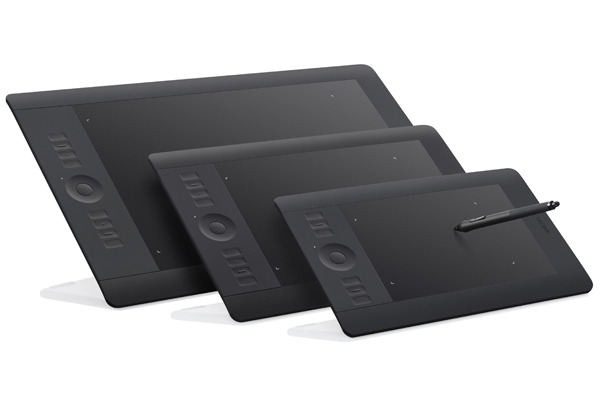
The Wacom Intuos4 range of graphics tablets are their current flagship model for the medium to serious home or professional user. The Intuos4 comes in 4 different sizes, Small, Medium, Large and XL (extra large) to suit all types of digital artist and also fit within an array of spending budgets.
Great build quality.
The tablet itself is excellent as you would expect from a manufacturer like Wacom. Thought has gone into nearly every part of the tablet and there have been many improvements over the previous Intuos3 tablet. The cordless pen is easy to hold, has great pressure sensitivity and allows you to flip it over to use it as a virtual eraser too, which is a cool point that you will love to use.
Integrated Scroll Ring
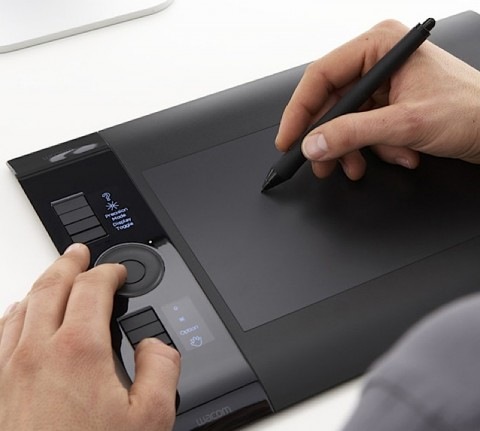
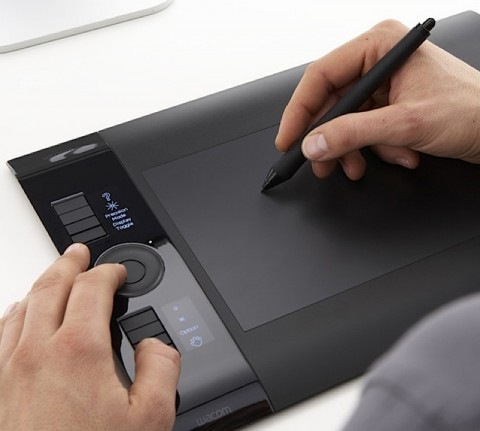
There are no longer any touch strips or menus on the pad to access zooming and scrolling functions. These have been replaced by a “scroll ring” that operates exactly the same as an iPod control wheel. You just move your finger, or the pen around the ring to make the selections to the settings you need. There are several selector buttons near the ring that allow you to choose what mode you want to be using, scroll, zoom etc. The “scroll ring” is also easy to use with your other hand whilst drawing and the position on the USB graphics tablet makes it easy to use.
Precision Mode
The Wacom Intuos4 graphics tablet now features a precision mode which is selected by using one of the 8 express keys which have been moved to be under the Scroll Ring. When in precision mode, the pen has a greater level of sensitivity. When you move the pen on the active area, you have to move it further to draw and small line on the screen. This gives you greater control over smaller movements on screen and will add to the overall quality of your digital images. This can also be assigned to a button on the pen for quick access.
Express Keys
The Intuos4 range also has 8 express keys that are actually OLED displays, so they will show the correct name for the shortcut. Using the Wacom software, you are also able to define these yourself, so you can have some fun if you want to. This feature is a great addition to the graphics tablet and will be very useful to you. The OLED display changes when you change to other applications and shows you relevant quick access options for that program.
For Professional Users
As you would expect from a Wacom, the Intuos4 range is top quality and they have gone all out to produce an amazing USB Graphics tablet. If you are a semi-professional graphics artist or someone who edits lots of digital images or photographs all the time the Wacom Intuos4 is the one for you. It is quick, responsive, accurate (especially with the precision mode enabled) and is also light, portable and stylish too.
If you can afford it, the Wacom Intuos4 USB graphics tablet to buy.
![]() New Wacom Intuos4 Medium Ptk640AC Intuos4 Graphic US $309.00
|
![]() NEW WACOM INTUOS4 LARGE PTK840AC INTUOS 4 US $409.00
|
![]() Wacom INTUOS4 Medium 8X5 Graphics Tablet 38891 US $249.99
|
![]() Wacom Intuos4 Medium Pen Tablet Taken out of box but never used] US $285.00
|
![]() Wacom Intuos4 US $290.00
|
![]() WACOM Intuos 4 Professional Pen Tablet Medium Black US $197.50
|
![]() Wacom Intuos4 pen tablet Medium size MINT CONDITION US $255.00
|
![]() Wacom Intuos4 Large Pen Tablet US $399.00
|
![]() WACOM Intuos4 M Medium 9x6 2048 level Pen Tablet USB Drawing Board PTK 640 NEW US $349.95
|
![]() Wacom Intuos4 Medium PTK 640 US $222.50
|
Incoming search terms:
wacom ptz430jp, intuos4 xl review, wacom intuos4 xl review, wacom intuos4 m l, ptz-430jp, Intuos4 Large USB Tablet with Pen and Mouse retail stores Scotsdale, Wacom Intuos4 Digital Tablet review, wacom intuos3 ptz-430jp, Wacom Intuos 4 Medium with extra pens mint condition in box, review intuos4 m lWacom Intuos3 Graphics Tablet Review
![]() |
Wacom Intuos3 6 x 8-Inch Pen Tablet List Price: Sale Price: $249.99 You save: $80.00 (24%) Eligible for free shipping!Availability: Usually ships in 1-2 business days |
Although not the latest models being offered in the Wacom Intuos range of USB graphics tablets, the Intuos3 is still a great buy and you are not really losing out on any features or benefits from paying for the newer Intuos4 range either.
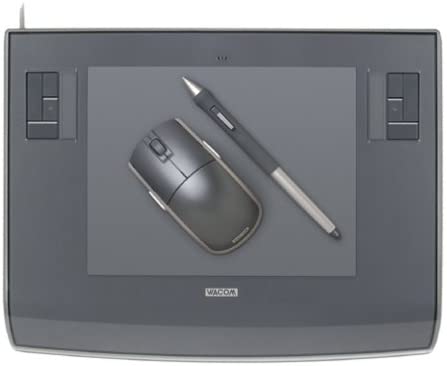
The Wacom Intuos3 graphics tablet is ambidextrous and comes in 6 different sizes to suit all needs and pockets - 4x5, 6x8, 6x11, 9x12, 12x12, and 12x19 inches. This gives the user the perfect opportunity to be able to purchase the size of tablet that they need, be it a smaller, portable unit for home use or a large tablet for professional digital artwork. See our “What Size Graphics Should I Buy” article for more information on choosing the correct size for your needs. The newer Wacom Intuos4 range only comes in 3 different sizes, so the older range already trumps the newer in my opinion.
As with all of the Wacom range, the Intuos3 connects via an 8ft USB cable, provides a wireless “Wacom comfort grip pen” that is sensitive to 1024 levels, features several programable buttons and has that oh so handy eraser tip on the other end. Also supplied is a nice Wacom 5 button mouse that you can use on the tablet too, should you suffer writers cramp or need to use the mouse for any reason.
The tracking of the Wacom Intuos3 tablet is second to none. Simply hold the cordless pen over the surface of the tablet and your movement will be followed and the mouse cursor will move on the screen at the same time. The active area of the Intuos3 transposes to the whole of your PC or Mac screen, so where ever you draw on the pad, that is where you draw on the screen. The graphics pad also sports several programable “ExpressKeys” and a touch strip in each top corner of the pad (for left and right handed users). The buttons can be used for tool selection and the touch strip can be used to drag the pen over to zoom in and out of your image or change brush sizes and thicknesses. This is a great addition to the tablet and makes working with applications a breeze.
For those who have never used a graphics tablet before, there is simply nothing else like it. It may sound slightly disjointed or disconnected, but once you have tried it, there will be no going back. It becomes so intuitive and natural, you will wonder how you did with just a mouse for so long.
The Intuos3 pack or bundle comes with over $200 worth of software, drivers, games and utilities, making this a great package to buy if you are on a tight budget. It is a perfect Graphics Tablet for first time and seasoned users and can be put to immediate use editing photos, creating artwork in Adobe Photoshop or signing off your MSN messages in Windows Vista. This is the complete package.
![]() Wacom intuos3 zc 100 5 button mouse Brand new in box US $24.99
|
![]() Wacom Intuos3 Tablet Used has pen holder and mouse US $10.50
|
![]() WACOM Intuos3 NEW MOUSE in BOX ZC 100 00A 5 button GREY US $41.00
|
![]() Wacom Intuos3 4X6 USB Tablet US $57.99
|
![]() Wacom Intuos3 4x5 tablet PTZ430 with mouse and pen in original box US $50.00
|
![]() Wacom Intuos3 9x12 Mouse digitizer stylus Wired USB US $61.00
|
![]() Wacom Intuos 3 Mouse BRAND NEW NEVER OPENED IN ORIGINAL BOX ZC 100 00 US $49.90
|
Incoming search terms:
PTZ 930 review, graphics tablet intuos3 marktplaats ptz 430, wacom intuos3 graphics tablet review, wacom intuos3 6x8-inch wide format tablet ptz 630 review, Wacom Intuos3 6 x 8-Inch Pen Tablet, wacom intuos ptz 930 review, wacom intuos model ptz 930 review, wacom intuos 3 pzt-631w wide usb tablet with pen, wacom intuos 3 graphics tablet ptz-630, Wacom Intuos 3 graphics tablet model PTZ-630Wacom Cintiq 12WX Interactive Pen Display
![]() |
Wacom Cintiq 12WX 12-Inch Pen Display List Price: Sale Price: Too low to display Eligible for free shipping!Availability: Usually ships in 24 hours |
When it comes to buying a graphics tablet, it comes down to several important points that you have to consider. The first being what you actually are going to use the tablet for and secondly how much you are prepared to spend to get what you want. There are many different models, sizes, makes and styles you can buy these days and they also range from the first time home user types to the industry standard models used by professional artists.
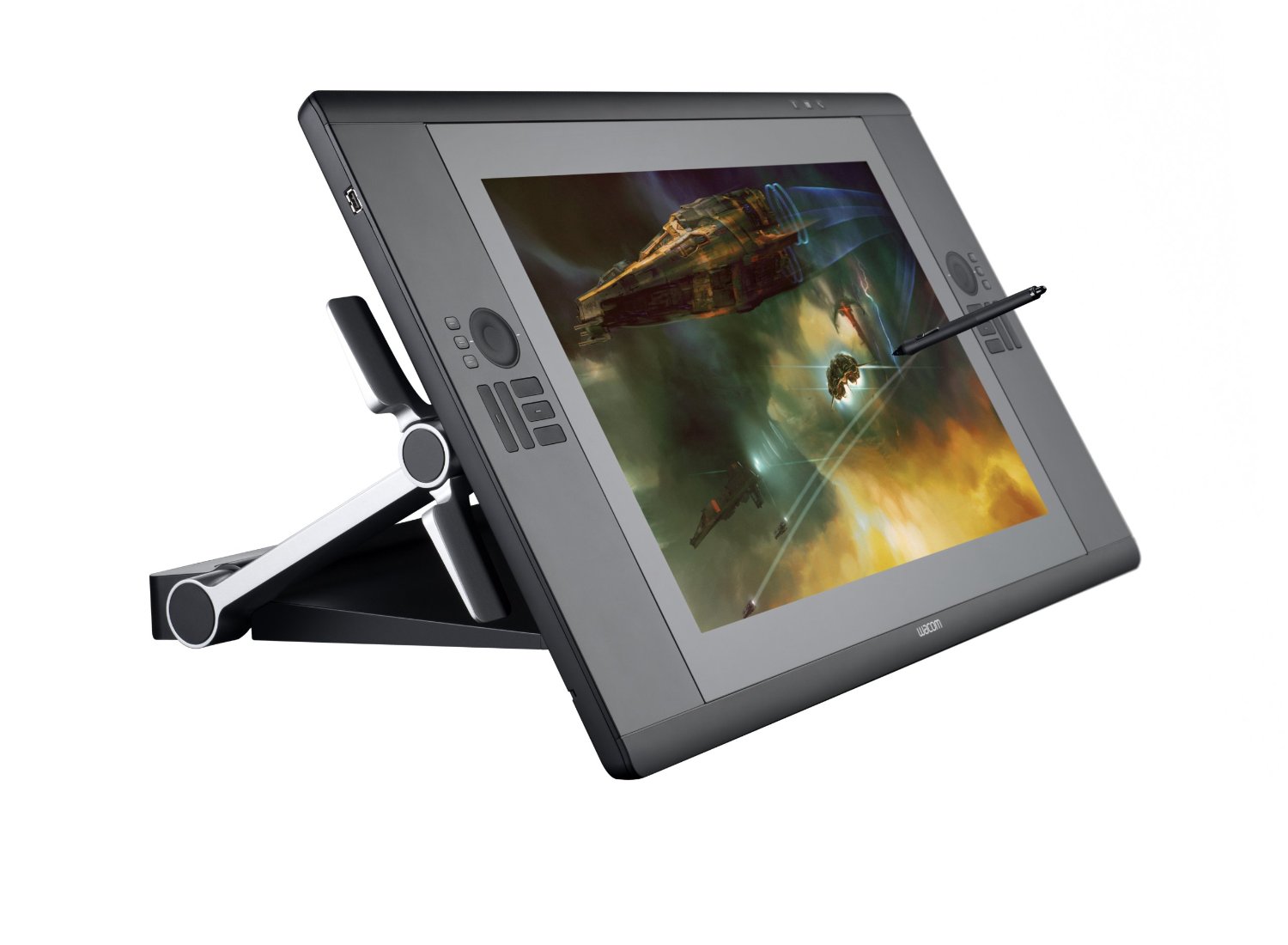
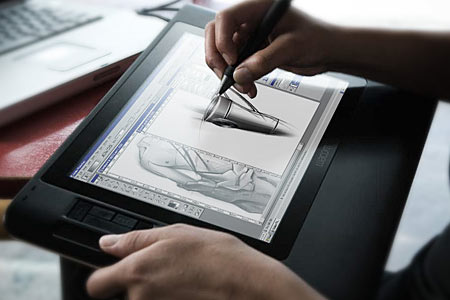
The Wacom Cintiq 12WX is one that falls into the middle of these categories. It is an interactive pen display rather than a USB graphics tablet, which allows you to draw directly onto the screen of your application rather than having an external pad that acts as an input to a separate screen. Imagine if you could take your flat screen monitor, angle it to suit and then draw directly into Corel Painter with a cordless pen. That is the benefit an interactive pen display gives you over a graphics tablet. But it is not too expensive or large to be a professional product, and not too small or feature lacking to be a consumer item.
The Wacom Cintiq 12WX houses a bright 1280 x 800 pixel LCD screen, which is a diagonal equivalent to a 12 inch monitor. Onto this screen, you use the supplied cordless pen or stylus which is sensitive to 1024 levels of pressure, giving you finer control over your strokes and marks. The display also allows for 16.7 million colors to be displayed, as per a normal TFT flat screen monitor.
The Cintiq 12WX can be used flat, like a pad or at an angle which can be defined by an adjustable stand on the rear. The connection to your PC or Mac is via a standard USB cable, DVI or VGA and an additional power connection is also required. It also has a pretty long connection wire too, so you can quite comfortably rest it on your lap whist drawing or find the perfect angle to suit you.
As with all other graphics tablets, you simply move the pen over the display and the location is tracked as you move. When you place the pen onto the screen, it is as if you were clicking with your mouse apart from the extra levels of pressure you can apply if you are using a supported graphics program. When you then move the pen, a mark is left on the document you are working on. It is exactly like drawing on paper really and requires no further explanation.
![]() Wacom Cintiq 12WX US $850.00
|
![]() Wacom Cintiq 12WX 121 Interactive Pen Display Monitor US $680.00
|
![]() Wacom Cintiq 12WX US $750.00
|
![]() Screen Protector Wacom Cintiq 12wx US $29.49
|
![]() Wacom Cintiq 12WX Graphics Pen Touch Tablet US $879.00
|
![]() Wacom Cintiq 12 Interactive Pen Display With Pen US $888.00
|
![]() Wacom Cintiq 12WX Graphic Tablet Display Intuos3 LCD US $1,523.79
|
The Wacom Cintiq 12WX also provides 10 programable buttons that are under your left or right hand as you draw which allow you to select zoom levels or layers within Adobe Photoshop. These can also be customized to launch applications too if needed.
The pen is a standard Wacom “grip pen” and features 2 buttons for mode switching or right clicking and also the ability to turn it over to rub out a mistake, which is taken care of automatically as you do it. No need to swap to the eraser tool with this baby. A pen stand is also provided to stop it from rolling under the desk when you leap up to answer the phone.
Overall, the Wacom Cintiq 12WX is a great interactive pen display and everyone will benefit from drawing directly onto the screen. Compared to using a standard graphics tablet, the Cintiq 12WX is light years ahead and it is definitely one of those products that you will love immediately.
There have been complaints of issues where the pad gets hot and has issues with tracking the motion of the pen, but these are few and far between and overall this is an excellent product if you are interested in moving into digital artwork or image editing.
Incoming search terms:
interactive pen display tablet, Interactive graphic tablet, interactive display tablet, interactive graphics tablet, wacom cintiq 12wx interactive pen display review, interactive graphic tablets, interactive drawing tablet, pen tablet with display, interactive graphics tablet review, graphic tablet interactive displayVistablet Original 12W Graphics Tablet
| VT 12-Inch Graphic Pen Tablet (Silver) |
![]() |
Overall Rating: |
| Retail Price: $129.00 |
| Amazon Price: $100.00 |
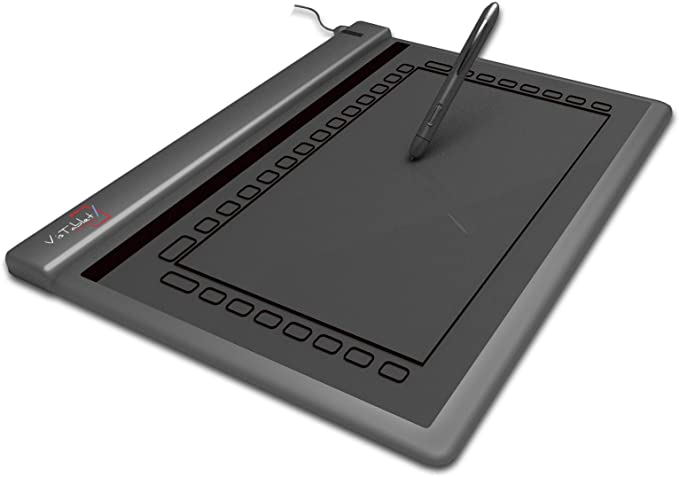
As with all other USB graphics tablets, the Vistablet Original 12W connects to your PC or Mac via a USB cable and does not require any additional power except for the battery you will need to power the cordless stylus. This pad is thin and this does make it ultra portable and is perfect for throwing into your laptop bag and carrying around with you without you even knowing it is there. At a weight of only 2.6 pounds, this is definitely one of the lightest graphics tablets in our review section.
But does light and slim mean less features and lower quality? Luckily there, the answer is also no. Vistablet have certainly made sure that this 12W product is their flagship item and you would have to look pretty hard to find a better or equal graphics tablet for a similar price. Unlike the range from Genius, the Vistablet 12W is fully compatible with Mac OS X as well as Windows XP and Vista. The supplied software, pen compatible games and drivers are perfect and give you every configuration and tweaking option you can think of. Some people have complained that the drivers on the supplied CD are out of date, so be sure to download the latest ones from the Vistablet website.
The Vistablet 12W has a handy series of 29 “macro fields” arranged around the outside of the active area where you can quickly access common applications and features, although these are able to be changed via the supplied software. The tablet is also 100% compatible with Adobe Photoshop, Corel Painter and Windows Vista, so you will not be left wanting for a compatible list of software.
The supplied pen feature 1024 levels of sensitivity, which is often double that of a similarly prices Wacom pad and also sports 2 buttons for accessing other commonly used things such as right click or quickly changing to a eraser to delete your mistake.
As with the Genius range of graphics tablets, if you are looking for purchase an entry level tablet and don’t want to shell out lots of money for a Wacom, then the Vistablet Original 12W is a perfect choice. It performs well, comes in black or silver and has all of the features you would expect a modern tablet to have and all at a great price too. They many not make lots of different products, but Vistablet have got this one right. If you are only going to make a few products, you make them right!
| Detail | Value |
|---|---|
| Product Name | Vistablet Original 12W |
| Physical Size (inches) | 12 x 1 x 10 |
| Active area (inches) | 12.1 diagnonal - 9.5 x 5.5 actual |
| Pen Supplied | Yes |
| Mouse Supplied | No |
| Weight | 2.6 pounds |
| Connectivity | USB |
| Compatibility | Windows XP, Windows Vista, Mac OS X |
Incoming search terms:
vistablet 12-inch tablet, vistablet review, vistablet graphics tablet 12x10 review, VisTablet VT12w, VisTablet 12 review, vistablet graphics tablet review, vistablet 12 inch tablet, VisTablet Graphic Pen Tablet Silver 12in Vistablet12, vistablet graphics tablet, VisTablet Original 12 Silver Graphics Tablet reviewGenius G-Pen F610 Ultra Slim Graphics Tablet
![]() |
Genius G-Pen F610 Ultra-Slim Tablet List Price: Sale Price: $69.99 You save: $32.71 (32%) Eligible for free shipping!Availability: Usually ships in 24 hours |
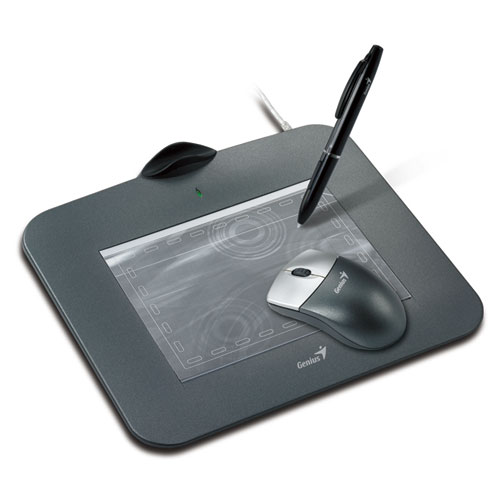
Genius seem to be cornering the market for cheaper and very feature rich products such as their range of G-Pen graphics tablets. The G-Pen F610 is known as an ultra slim tablet due to its small size and weight. It looks great in matte black with a darker grey active area which measures 6x10 inches.
Around the outside edges of the active area you will find 29 programable hot keys that can be assigned to functions within the application you are working on such as Adobe Photoshop or operating system functions such as accessing the Start menu in Windows Vista or loading applications with 1 click. These hot keys extend the productivity you will enjoy with this G-Pen tablet and make it a serious contender to the Wacom crown.
The USB graphics tablet comes supplied with a cordless pen which does not have an eraser function when you turn it on it’s end. Something that is so useful, once you have got a pen that performs that way, you will never go back. The pen responds to 1024 levels of sensitivity, although trying to create strong, dark lines may prove difficult as many people complain that you have to press too hard. The graphics tablet also comes with a stand or cradle to hold your pen when not in use.
![]() Genius G Pen F610 Slim Graphic Tablet For Windows Mac US $49.00
|
![]() Genius G Pen f610 Tablet w Pen US $60.00
|
![]() GENIUS G PEN F610 Writing Drawing Tablet US $15.49
|
The Genius F610 graphics tablet is fully plug and play compliant with Windows Vista, and can be used with the generous amount of character recognition and “write anywhere” functions that Vista allows. It comes bundled with a CD of drivers for other legacy operating systems as well as a trial of Ulead Photoimpact. You may want to head straight over to the Adobe website and download a copy of Photoshop though, or try something such as Artrage.
In conclusion, the F610 is a competent entry level USB graphics tablet with some features that Wacom do not provide in their tablets. Although this may be an entry level tablet and cannot compare like for like with the Wacom Intuos or Bamboo range, it holds it’s own and will provide many hours or enjoyment for amateur or professional alike.
| Detail | Value |
|---|---|
| Model Name | Genius G-Pen F610 Ultra Slim |
| Includes Pen | Yes (cordless) |
| Includes Mouse | No |
| Widescreen format | Yes |
| Supprts left and right handed users | Yes |
| Active Area Size (inches) | 6 x 10 |
| Physical dimensions (inches) | 14.6 x 13 x 2 |
| Pressure sensitivity levels | 1024 |
| Programable Keys | 24 |
Incoming search terms:
genius g-pen f610 ultra-slim tablet review, Genius G-PEN F610 Ultra slim graphic tablet, Genius G-Pen F610 Slim Graphic Tablet, genius g-pen f610 test, Genius G-Pen F610 Graphics Tablet, Genius G-Pen F610 Review, genius g-pen f610 6x10 inch ultra slim tablet reviews, genius g-pen e610 ultra slim writing tablet, Genius G-Pen F610 Graphics Tablet revew, genius g-pen f610 ultra-slim tabletGenius MousePen 8 x 6 Graphics Tablet
![]() |
Genius MousePen 8 x 6-Inch Graphic Tablet for Home and Office List Price: Sale Price: $54.00 You save: $45.99 (46%) Eligible for free shipping!Availability: Usually ships in 1-2 business days |
Where Wacom lead, other manufacturers follow in their footsteps hoping to pick up the stragglers who are more price conscious than image or brand affected. Although, having said that the graphics tablet products by Genius are by no means of lower quality or standard. In fact, if you are looking for the most bang for your buck, the Genius range may be the better option.
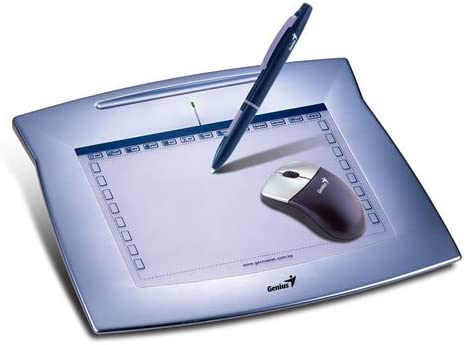
The Genius MousePen 8x6 is a USB product designed for both the home and the office. It gives you a spacious 8 by 6 inch active area to work with and also has a series of programable “hot cells” around the edge which allow you to quickly and easily access commonly used functions, menu items or macros. The supplied software comes pre-configured with “Hot Cell” combinations for the common graphics applications such as Adobe Photoshop or the supplied 30 day trial of Corel Painter 8.
![]() Genius MousePen 8x6 Stylus Pen Replacement Pen Only US $25.00
|
![]() Genius MousePen 8X6 Graphic Tablet For PC Mac PnP US $38.00
|
As with the comparable Wacom graphics tablets, the Genius MousePen 8x6 comes supplied with a cordless pen with 1024 levels of pressure sensitivity. When turned on it’s end, the pen also doubles as an eraser, quickly switching to the erase tool in the relevant application. Also provided is a cordless tablet mouse with a 3D scroll wheel which operates in the same way as a normal cordless optical mouse when used in conjunction wit the MousePen tablet.
So if you value price over popular, named brands and a possible perceived benefit of using a more professional product, the Genius MousePen is perfect for you. It is lightweight, compact, has a large active area but only truthfully supports Windows computers. The Genius MousePen 8x6 is a perfect entry level graphics tablet for the whole family whether you are a digital artist or someone who simply wants to try their hand at being creative.
| Detail | Value |
|---|---|
| Model Name | Genius MousePen 8x6 |
| Includes Pen | Yes (cordless) |
| Includes Mouse | Yes (cordless) |
| Widescreen format | Yes |
| Supprts left and right handed users | Yes |
| Active Area Size (inches) | 8 x 6 |
| Physical dimensions (inches) | 10 x 8 |
| Pressure sensitivity levels | 1024 |
| Express Keys | None - hot cells available |
Incoming search terms:
Genius MousePen 8 x 6-Inch Graphic Tablet for Home and Office, Genius MousePen 8 x 6-Inch Graphic Tablet, Genius MousePen 8 x 6-Inch Graphic Tablet review, genius mousepen 8x6 graphic tablet for home and office, genius mousepen 8x6 graphic tablet for home and office review, genius mousepen 8x6 replacement pen, genius mousepen 8x6 review, mousepen 8x6, genius mousepen replacement pen, genuis mousepen 8 x 6 in graphic tablet for home and officeWacom Bamboo Fun Graphics Tablet
![]() |
Wacom Bamboo Pen and Touch List Price: Sale Price: $66.95 You save: $33.00 (33%) Eligible for free shipping!Availability: Usually ships in 1-2 business days |
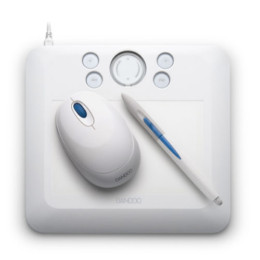
With digital artwork and photo editing moving more into a consumer market, Wacom, the industry standard manufacturers of graphics tablets and interactive pen displays, have created the perfect entry level product aimed at those who are just starting to explore their digital creative side. Designed to be portable and stylish, the Wacom Bamboo Fun is perfect for people who want to use a graphics tablet but have no need for anything expensive or too technologically advanced.
Available in 4 colors, (white, silver, black and blue) the Wacom Bamboo Fun will appeal to all ages and skill levels and is perfect for doodling, annotating documents in your own handwriting or creating a new masterpiece in Adobe Photoshop. The Bamboo Fun fits perfectly into your workspace due to it’s slim and meagre size and design. With an active area the same as an A6 piece of paper, it is perfect for drawing, digital painting, touching up digital images or creating layouts in a graphics design application.
Due to it’s small size and low weight and with 4 programable action keys, the Bamboo Fun is perfect for slipping into a laptop bag to take on holiday, to work or to school. Powered by a USB connection to your PC or Mac, the Bamboo Fun is perfect to use anywhere and at any time. Imagine being able to take your own notes in a lesson or sketch ideas at a meeting. It is all possible with a Wacom Bamboo Fun graphics tablet. If you are more of a professional, the Wacom Bamboo Fun Medium offers a greater active area for you to use, or the range of Wacom Intuos graphics tablets are the next step up in size and functionality.
![]() WACOM CTE450K Black Bamboo Fun Tablet with Pen Mouse Graphics Software US $200.00
|
![]() Wacom Bamboo Fun Tablet only Model CTE 450 US $25.00
|
| Detail | Value |
|---|---|
| Model Name | Wacom Bamboo Fun Small |
| Includes Wacom Fun Pen | Yes |
| Includes Wacom Fun Mouse | Yes |
| Widescreen format | Yes |
| Supprts left and right handed users | Yes |
| Active Area Size (inches) | 5.8 x 3.7 |
| Physical dimensions (inches) | 8.4 x 7.3 x 0.3 |
| Pressure sensitivity levels | 512 |
| Express Keys | 4 |
Incoming search terms:
bamboo graphic ideas, graphics tablet meetings, Wacom CTE-450 Bamboo Fun Small Pen Graphics Tablet - REFURBISHEDWhat is an interactive pen display
There are now two distinct kinds of graphics tablets, ones with a built in monitor and those that are an external device connected via USB to your PC or Mac. Those with a built in TFT screen are known as Interactive Pen Display devices.
As with a normal USB Graphics Tablet, the user makes input direct onto the device using a stylus or pen. The strokes and marks are then transferred from the device to the computer screen where they are represented by the relevant application, Adobe Photoshop for example. With an Interactive Pen Device, the user draws with the same stylus, but directly onto the screen itself which is housed in a separate unit from the normal monitor. The device also allows the user to quickly select functions, macros and options via a series of quick access buttons or selectors built into the device itself.
If you imagine having your computer monitor at a 45 degree angle and drawing directly onto the screen with a stylus, you have just realised the format of the interactive pen device. With the screen or device at a more natural angle, the user is able to draw and make input to it as if they were working at a drawing board or drafting table. Some of the interactive pen devices such as the Wacom Intuos range, come in a variety of prices and sizes and it would not be uncommon to see someone resting back in their chair with the device in their lap, drawing directly into an application such as Adobe Photoshop or Corel Painter. The smaller devices allow for more portability and give the user a greater range of freedom and comfort, but for the more professional user, the larger displays allow finer control over their images and a better platform for the creation of professional artwork.
The interactive pen devices can become dirty and smudged quicker than a normal graphics tablet and therefore it is important to keep the device as clean as possible. There are special gloves available that cover the hand and little finger that allow you a smoother action on the screen without your skin touching and dragging on the active surface. The glove will also ensure that the screen is kept clean too as grease or dirt may cause issues when using the stylus.
Incoming search terms:
Best Drawing Tablets, interactive displays graphic tablets, graphic tablet interactive, best interactive graphics tablet, graphics tablet with interactive display, interactive display graphics tablet, interactive pen displays graphics tablets, interactive tablet display, interactive graphics tablets, interactive graphics pen tabletThe Pros And Cons Of Using A Graphics Tablet
There are many reasons why you would want to use a Graphics Tablet or interactive pen display to help you produce digital art and images - and not many against! I will cover a few of the plus points of owning one of these devices and then summarize some of the downsides too. But be prepared for more pro’s than con’s.
Pro’s:
A USB Graphics Tablet can be used in all applications. It is not just tied to being used within a specific graphics application like Adobe Photoshop or Corel Draw. If you wanted to use Microsoft Paint on your PC to make an image, you can. Or if you wanted to use it to re-organize your images in iPhoto on the Mac, you can do that too. The tablet is totally application independent. Sure, some software manufacturers will provide add-ons and plugins to their software to make it easier to use with a Graphics Tablet, but they can be used without it too.
I guess that because you are reading this, you are considering buying a Graphics Tablet. Up until this point you may have been attempting to draw using the mouse and found it very frustrating. Holding the mouse is a very natural position for clicking your way through internet pages or navigating through your library of digital photos, but it is not the best method of drawing. For a start, the hand is facing forwards, where as when you are drawing, your hand is normally facing slightly to the left or right, across your body. Using a mouse, it is very hard to produce fluid strokes as you would do with a pen or pencil but when you use a Graphics Tablet, it frees you from the shackles of the mouse and takes you back to the better, more natural position and angle.
Graphics tablets are also easy to use. A child could easily use one to produce images on a PC or Mac. What could be more intuitive for a child to learn to draw and write onto a computer screen where mistakes can be erased and their imagination can be unleashed.
Con’s:
It has to be said that these graphics pads and interactive pen displays do come at a price. You might want to start with a cheaper model, just to see how you get on with using it before you take the plunge and pay out for a top of the range Wacom screen.
They also take a little getting used to and if you are an established painter, drawer or artist you might initially struggle with transferring your techniques and talents to the screen. Having said that, being able to undo and re-arrange your work as you see fit until you are happy does have it’s benefits too.
So as you can see, there are more Pro’s than there are Con’s. At the end of the day, it may all come down to price over function. Also consider how often you would use the device and what it will be used for. You may not need the most expensive interactive pen display if you are only removing red eye from your digital images once a month.
Incoming search terms:
graphics tablet pros and cons, pros and cons of a graphics tablet, pros and cons of graphics tablet, pros and cons of Graphics tablets, graphic tablet pros and cons, pros and cons of graphic tablets, cons of a graphics tablet, cons and pros of a graphics tablet, graphics tablet pros cons, pros and cons graphic tabletWhat Is A Graphics Tablet
There are many reasons why a traditional artist may want to transfer to using a digital medium. With the advent of the Internet and digital publishing, the format and tools used to create publications have changed rapidly sometimes leaving the artist behind with out-dated skills.
Put simply, a graphics tablet or interactive pen display unit is an input device that allows the user to draw using a pen or stylus on to a surface or active area and those markings be transferred to the computer screen.
Rather than using a mouse to draw in an application such as Corel Draw or Corel Painter, the user is able to sketch freehand using a traditional pen and have the image appear on the screen in front of them. They also have the ability to use different brush types, sizes, thicknesses that the application provides and the full range of colors and transparencies that modern computers allow.
Unlike older models, when the pen or stylus is lifted from the active area of the graphics tablet, the device still knows where it is located. When you then reapply the stylus to the tablet, the cursor on the screen moves in unison so that you are able to move freely around the canvas or document as if it was a piece of paper.
A Graphics Tablet will remove the barrier between the artists hand and the computer. Using a normal computer mouse for freehand artwork or drawing is not possible and results in jagged or irregular lines and images. In comparison, a graphics tablet will allow the user to create flowing, fluid freehand designs and strokes as if they were working on paper.
The tablet or pad will connect to the computer via a USB cable, serial cable or wireless Bluetooth connection and will come with software, drivers or application plugins that allow the device to work properly. The software will also allow the user to define parameters such as how sensitive the device is or how the stylus behaves under certain conditions. Most modern graphics tablets also have buttons and selectors that allow the user to create custom functions or macros that can easily be selected.
The graphics tablets and pen input display devices come in a variety of sizes and are supplied targeted towards a range of people. At the lower end of the market, the graphics tablets have a smaller active area and are more suited to younger or less experienced artists and creative people. At the other end of the spectrum are the interactive pen display devices which combine a graphics tablet and a TFT monitor to allow the user to draw directly onto a screen. There are also larger models available for functions such as architecture or drafting.
If you can use a pen or pencil to draw, then you will be able to use a graphics tablet too. They are simple to install and easy to use and allow you freedom to create all manner of digital artwork. They can also be used for handwriting recognition and document annotation.


Eligible for free shipping!


![Wacom Intuos4 Medium Pen Tablet Taken out of box but never used]](http://www.graphicstabletreviews.com/images/e/200708936985_0.jpg)