Wacom Intuos3 Graphics Tablet Review

August 27, 2009 by admin  
Filed under Reviews, Wacom

Wacom Intuos3 6 x 8-Inch Pen Tablet Wacom Intuos3 6 x 8-Inch Pen Tablet
List Price: $329.99
Sale Price: $239.99
You save: $90.00 (27%)
  Eligible for free shipping!
Availability: Usually ships in 1-2 business days

Although not the latest models being offered in the Wacom Intuos range of USB graphics tablets, the Intuos3 is still a great buy and you are not really losing out on any features or benefits from paying for the newer Intuos4 range either.

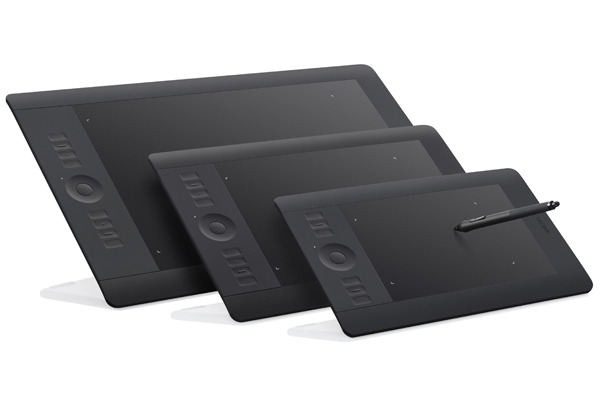
The Wacom Intuos3 graphics tablet is ambidextrous and comes in 6 different sizes to suit all needs and pockets - 4x5, 6x8, 6x11, 9x12, 12x12, and 12x19 inches. This gives the user the perfect opportunity to be able to purchase the size of tablet that they need, be it a smaller, portable unit for home use or a large tablet for professional digital artwork. See our “What Size Graphics Should I Buy” article for more information on choosing the correct size for your needs. The newer Wacom Intuos4 range only comes in 3 different sizes, so the older range already trumps the newer in my opinion.

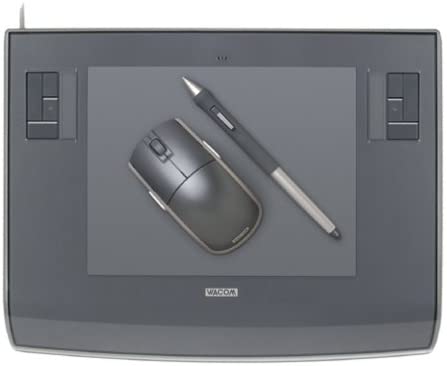
As with all of the Wacom range, the Intuos3 connects via an 8ft USB cable, provides a wireless “Wacom comfort grip pen” that is sensitive to 1024 levels, features several programable buttons and has that oh so handy eraser tip on the other end. Also supplied is a nice Wacom 5 button mouse that you can use on the tablet too, should you suffer writers cramp or need to use the mouse for any reason.

The tracking of the Wacom Intuos3 tablet is second to none. Simply hold the cordless pen over the surface of the tablet and your movement will be followed and the mouse cursor will move on the screen at the same time. The active area of the Intuos3 transposes to the whole of your PC or Mac screen, so where ever you draw on the pad, that is where you draw on the screen. The graphics pad also sports several programable “ExpressKeys” and a touch strip in each top corner of the pad (for left and right handed users). The buttons can be used for tool selection and the touch strip can be used to drag the pen over to zoom in and out of your image or change brush sizes and thicknesses. This is a great addition to the tablet and makes working with applications a breeze.

For those who have never used a graphics tablet before, there is simply nothing else like it. It may sound slightly disjointed or disconnected, but once you have tried it, there will be no going back. It becomes so intuitive and natural, you will wonder how you did with just a mouse for so long.

The Intuos3 pack or bundle comes with over $200 worth of software, drivers, games and utilities, making this a great package to buy if you are on a tight budget. It is a perfect Graphics Tablet for first time and seasoned users and can be put to immediate use editing photos, creating artwork in Adobe Photoshop or signing off your MSN messages in Windows Vista. This is the complete package.

WACOM INTUOS3 Pen Tether 13 available
US $7.00
WACOM Intuos3 TABLET 4x6 PTZ 431W MOUSE Grip pen Adobe Photoshop software bundle
US $125.00
Wacom Intuos 3 Graphics Tablet PTZ 630 perfect condition w Pen Stand Mouse
US $149.50
Wacom Intuos 3 4x6 with Pen stand and mouse
US $41.00
Wacom Intuos 3 Mouse BRAND NEW NEVER OPENED IN ORIGINAL BOX ZC 100 00
US $24.99
Wacom Intuos3 9x12 only used a few times includes original box and all info
US $162.50
Wacom Intuos 3 PTZ 930 9x12 A4
US $234.95
Wacom INTUOS3 PTZ430 4x5 TABLET only NEW perfect
US $58.00
Wacom Intuos 3 Mouse BRAND NEW NEVER OPENED IN ORIGINAL BOX ZC 100 00
US $49.90
Wacom Intuos3 9x12 graphics tablet with pen grip PTZ 930
US $160.00

Incoming search terms:

PTZ 930 review, componets of wacom intuos3 graphic tablet ptz-430, wacom intuos 3 graphics tablet ptz-630, wacom intuos 3 pzt-631w wide usb tablet with pen, wacom intuos model ptz 930 review, wacom intuos ptz 930 review, Wacom Intuos3 6 x 8-Inch Pen Tablet, wacom intuos3 6x8-inch wide format tablet ptz 630 review, wacom intuos3 graphics tablet review, Wacom Intuos 3 graphics tablet model PTZ-630

What is an interactive pen display

August 12, 2009 by admin  
Filed under Guides

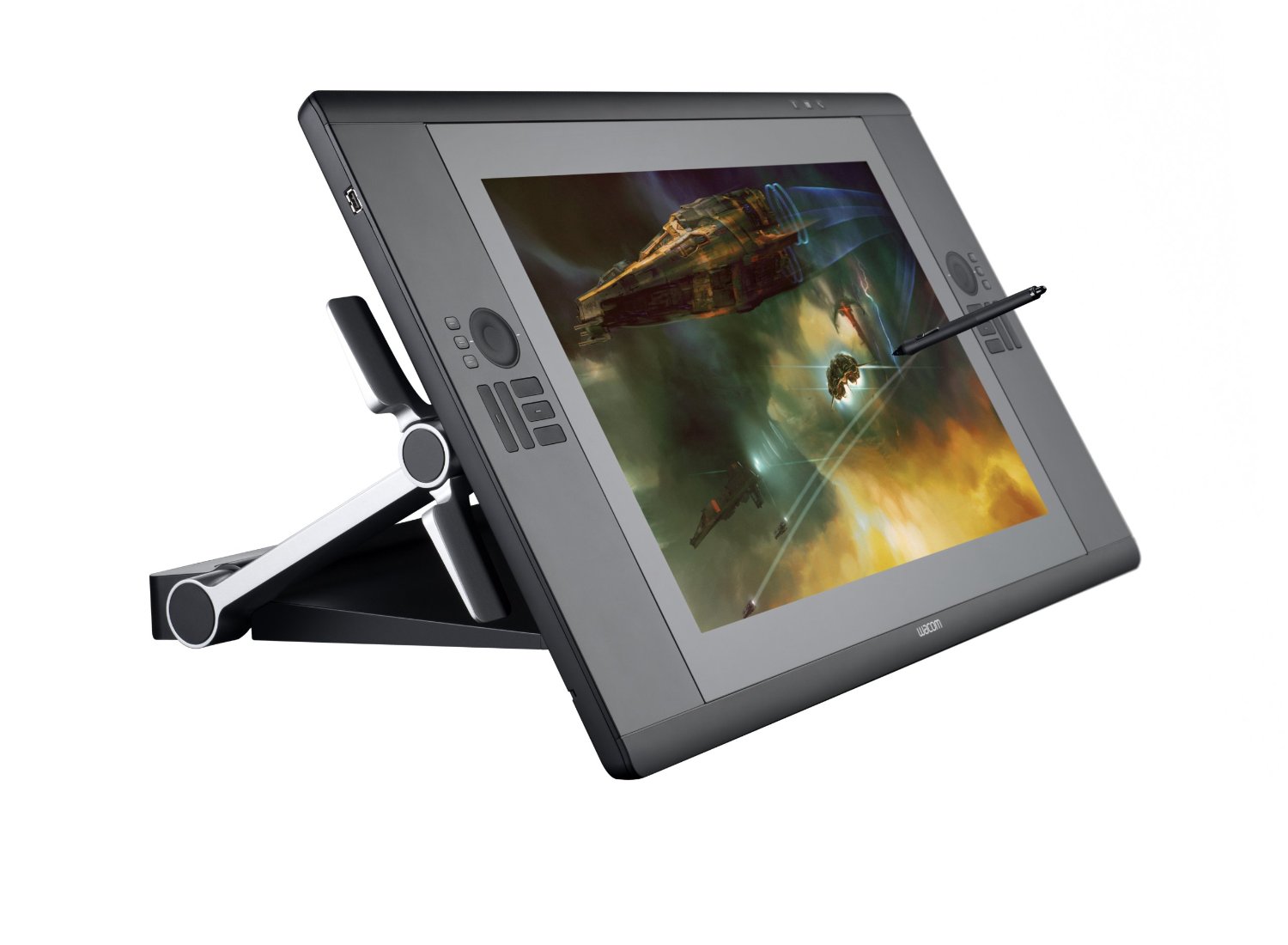
There are now two distinct kinds of graphics tablets, ones with a built in monitor and those that are an external device connected via USB to your PC or Mac. Those with a built in TFT screen are known as Interactive Pen Display devices.

As with a normal USB Graphics Tablet, the user makes input direct onto the device using a stylus or pen. The strokes and marks are then transferred from the device to the computer screen where they are represented by the relevant application, Adobe Photoshop for example. With an Interactive Pen Device, the user draws with the same stylus, but directly onto the screen itself which is housed in a separate unit from the normal monitor. The device also allows the user to quickly select functions, macros and options via a series of quick access buttons or selectors built into the device itself.

If you imagine having your computer monitor at a 45 degree angle and drawing directly onto the screen with a stylus, you have just realised the format of the interactive pen device. With the screen or device at a more natural angle, the user is able to draw and make input to it as if they were working at a drawing board or drafting table. Some of the interactive pen devices such as the Wacom Intuos range, come in a variety of prices and sizes and it would not be uncommon to see someone resting back in their chair with the device in their lap, drawing directly into an application such as Adobe Photoshop or Corel Painter. The smaller devices allow for more portability and give the user a greater range of freedom and comfort, but for the more professional user, the larger displays allow finer control over their images and a better platform for the creation of professional artwork.

The interactive pen devices can become dirty and smudged quicker than a normal graphics tablet and therefore it is important to keep the device as clean as possible. There are special gloves available that cover the hand and little finger that allow you a smoother action on the screen without your skin touching and dragging on the active surface. The glove will also ensure that the screen is kept clean too as grease or dirt may cause issues when using the stylus.

Incoming search terms:

Best Drawing Tablets, interactive displays graphic tablets, graphic tablet interactive, best interactive graphics tablet, interactive pen display graphics tablet, interactive tablet display, interactive pen displays graphics tablets, graphics tablet with interactive display, interactive display graphics tablet, interactive graphics pen tablet