
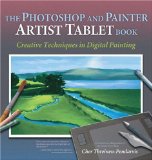

- Used Book in Good Condition
- Threinen-Pendarvis, Cher (Author)
- English (Publication Language)
- 270 Pages - 09/14/2013 (Publication Date) -...
Coming from a being a traditional artist or complete novice to using a graphics tablet can be a very steep learning curve. Artists who are used to paint, pencil or charcoal will miss the tactile interaction with paper and canvas and the new user may be baffled by exactly how to obtain the right colors and effects they want.
Luckily, there is help at hand! Apart from trawling YouTube for videos of speed painting or techniques, this book offers real examples for learning to paint digitally in Photoshop or Corel Painter.
The author takes you through many different examples with tasks for you to complete with exercises for the different types of image you might want to make or effect you want to produce.
From Amazon.com:
Despite its fame as an image-editing tool, Photoshop has never been about painting””that is, not until recently. With a new paint engine, however, Photoshop 7 is now about editing, compositing, effects, and painting””and award-winning artist and author Cher Threinen-Pendarvis is here to show you how you can use both Photoshop and Painter with pressure-sensitive tablets to improve your drawing skills and open your mind to new artistic possibilities.
In this volume””which is as much art book as guide””the author of the Painter Wow! series steps you through a variety of real-life projects designed to improve your drawing, composition, and conceptual skills while exploring different digital tools. Along the way, you’ll learn how to set up a pressure-sensitive tablet and stylus; use mark-making tools in Photoshop and Painter; create tonal, gestural, and contour drawings; and more. Best of all, in addition to helpful screen shots, you’ll find beautiful, full-color, progressive views of the art being produced. Anyone who wants to use these tools to improve their drawing skills and enhance creativity will find all the instruction and inspiration they need in these pages.