Wacom Cintiq 12WX Interactive Pen Display
| Wacom Cintiq 12WX 12-Inch Pen Display |
![]() |
Overall Rating: |
| Retail Price: $1,199.00 |
| Amazon Price: Too low to display |
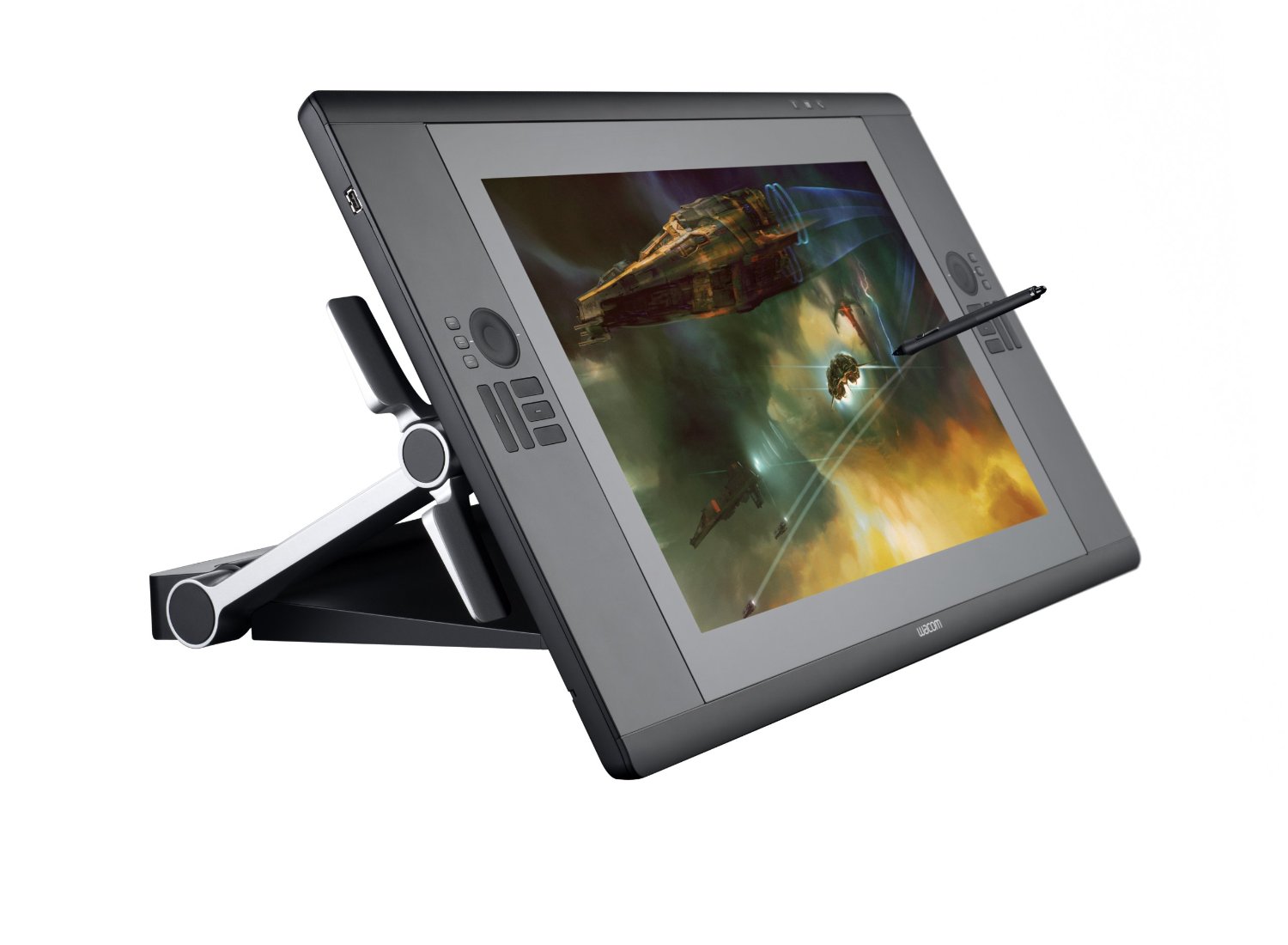
The Wacom Cintiq 12WX is one that falls into the middle of these categories. It is an interactive pen display rather than a USB graphics tablet, which allows you to draw directly onto the screen of your application rather than having an external pad that acts as an input to a separate screen. Imagine if you could take your flat screen monitor, angle it to suit and then draw directly into Corel Painter with a cordless pen. That is the benefit an interactive pen display gives you over a graphics tablet. But it is not too expensive or large to be a professional product, and not too small or feature lacking to be a consumer item.
The Wacom Cintiq 12WX houses a bright 1280 x 800 pixel LCD screen, which is a diagonal equivalent to a 12 inch monitor. Onto this screen, you use the supplied cordless pen or stylus which is sensitive to 1024 levels of pressure, giving you finer control over your strokes and marks. The display also allows for 16.7 million colors to be displayed, as per a normal TFT flat screen monitor.
The Cintiq 12WX can be used flat, like a pad or at an angle which can be defined by an adjustable stand on the rear. The connection to your PC or Mac is via a standard USB cable, DVI or VGA and an additional power connection is also required. It also has a pretty long connection wire too, so you can quite comfortably rest it on your lap whist drawing or find the perfect angle to suit you.
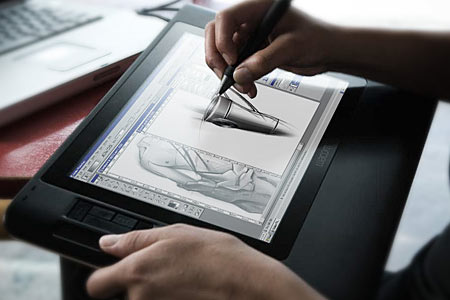
As with all other graphics tablets, you simply move the pen over the display and the location is tracked as you move. When you place the pen onto the screen, it is as if you were clicking with your mouse apart from the extra levels of pressure you can apply if you are using a supported graphics program. When you then move the pen, a mark is left on the document you are working on. It is exactly like drawing on paper really and requires no further explanation.
![]() |
|
Wacom Cintiq 12WX Interactive Pen Tablet w Display US $721.11
|
NEW WACOM CINTIQ 12WX Interactive Pen Display see Offer US $999.00
|
|
Wacom Cintiq 12wx US $850.00
|
Wacom Cintiq 12WX Graphics Tablet Brand New US $999.00
|
|
Wacom Cintiq 12WX pen Tablet with Display Barely Used US $585.00
|
WACOM Cintiq 12WX LCD Pen Tablet DTZ 1200W G US $555.00
|
|
Wacom Cintiq 12WX US $534.00
|
Wacom Cintiq 12WX with BONUS US $530.00
|
|
Wacom Cintiq 12WX Interactive Pen Tablet w Display US $850.00
|
NEW Wacom Cintiq 12WX Graphics Tablet CINTIQ12WX US $999.00
|
The Wacom Cintiq 12WX also provides 10 programable buttons that are under your left or right hand as you draw which allow you to select zoom levels or layers within Adobe Photoshop. These can also be customized to launch applications too if needed.
The pen is a standard Wacom “grip pen” and features 2 buttons for mode switching or right clicking and also the ability to turn it over to rub out a mistake, which is taken care of automatically as you do it. No need to swap to the eraser tool with this baby. A pen stand is also provided to stop it from rolling under the desk when you leap up to answer the phone.
Overall, the Wacom Cintiq 12WX is a great interactive pen display and everyone will benefit from drawing directly onto the screen. Compared to using a standard graphics tablet, the Cintiq 12WX is light years ahead and it is definitely one of those products that you will love immediately.
There have been complaints of issues where the pad gets hot and has issues with tracking the motion of the pen, but these are few and far between and overall this is an excellent product if you are interested in moving into digital artwork or image editing.
Vistablet Original 12W Graphics Tablet
| VisTablet Original VT12 Silver |
![]() |
Overall Rating: |
| Retail Price: $129.00 |
| Amazon Price: $120.00 |
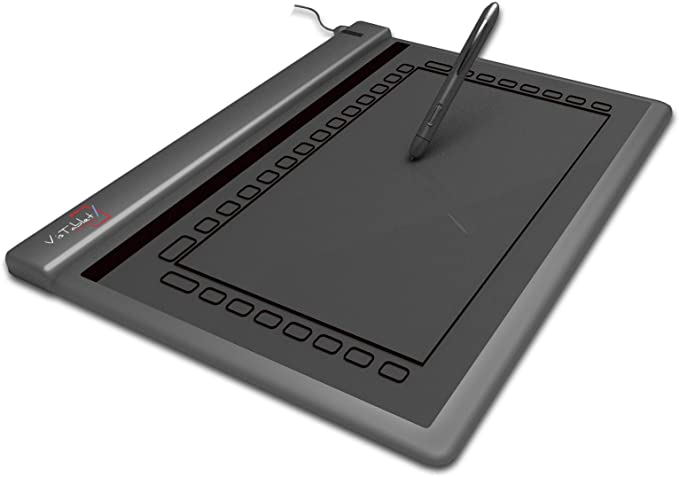
As with all other USB graphics tablets, the Vistablet Original 12W connects to your PC or Mac via a USB cable and does not require any additional power except for the battery you will need to power the cordless stylus. This pad is thin and this does make it ultra portable and is perfect for throwing into your laptop bag and carrying around with you without you even knowing it is there. At a weight of only 2.6 pounds, this is definitely one of the lightest graphics tablets in our review section.
But does light and slim mean less features and lower quality? Luckily there, the answer is also no. Vistablet have certainly made sure that this 12W product is their flagship item and you would have to look pretty hard to find a better or equal graphics tablet for a similar price. Unlike the range from Genius, the Vistablet 12W is fully compatible with Mac OS X as well as Windows XP and Vista. The supplied software, pen compatible games and drivers are perfect and give you every configuration and tweaking option you can think of. Some people have complained that the drivers on the supplied CD are out of date, so be sure to download the latest ones from the Vistablet website.
The Vistablet 12W has a handy series of 29 “macro fields” arranged around the outside of the active area where you can quickly access common applications and features, although these are able to be changed via the supplied software. The tablet is also 100% compatible with Adobe Photoshop, Corel Painter and Windows Vista, so you will not be left wanting for a compatible list of software.
![]() |
No items matching your keywords were found.
The supplied pen feature 1024 levels of sensitivity, which is often double that of a similarly prices Wacom pad and also sports 2 buttons for accessing other commonly used things such as right click or quickly changing to a eraser to delete your mistake.
As with the Genius range of graphics tablets, if you are looking for purchase an entry level tablet and don’t want to shell out lots of money for a Wacom, then the Vistablet Original 12W is a perfect choice. It performs well, comes in black or silver and has all of the features you would expect a modern tablet to have and all at a great price too. They many not make lots of different products, but Vistablet have got this one right. If you are only going to make a few products, you make them right!
| Detail | Value |
|---|---|
| Product Name | Vistablet Original 12W |
| Physical Size (inches) | 12 x 1 x 10 |
| Active area (inches) | 12.1 diagnonal - 9.5 x 5.5 actual |
| Pen Supplied | Yes |
| Mouse Supplied | No |
| Weight | 2.6 pounds |
| Connectivity | USB |
| Compatibility | Windows XP, Windows Vista, Mac OS X |
What is an interactive pen display
There are now two distinct kinds of graphics tablets, ones with a built in monitor and those that are an external device connected via USB to your PC or Mac. Those with a built in TFT screen are known as Interactive Pen Display devices.
As with a normal USB Graphics Tablet, the user makes input direct onto the device using a stylus or pen. The strokes and marks are then transferred from the device to the computer screen where they are represented by the relevant application, Adobe Photoshop for example. With an Interactive Pen Device, the user draws with the same stylus, but directly onto the screen itself which is housed in a separate unit from the normal monitor. The device also allows the user to quickly select functions, macros and options via a series of quick access buttons or selectors built into the device itself.
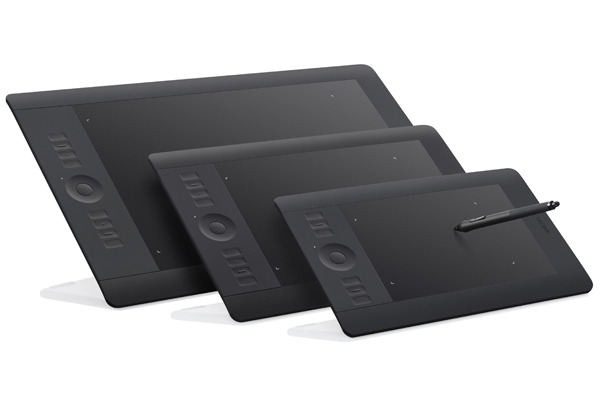
If you imagine having your computer monitor at a 45 degree angle and drawing directly onto the screen with a stylus, you have just realised the format of the interactive pen device. With the screen or device at a more natural angle, the user is able to draw and make input to it as if they were working at a drawing board or drafting table. Some of the interactive pen devices such as the Wacom Intuos range, come in a variety of prices and sizes and it would not be uncommon to see someone resting back in their chair with the device in their lap, drawing directly into an application such as Adobe Photoshop or Corel Painter. The smaller devices allow for more portability and give the user a greater range of freedom and comfort, but for the more professional user, the larger displays allow finer control over their images and a better platform for the creation of professional artwork.
The interactive pen devices can become dirty and smudged quicker than a normal graphics tablet and therefore it is important to keep the device as clean as possible. There are special gloves available that cover the hand and little finger that allow you a smoother action on the screen without your skin touching and dragging on the active surface. The glove will also ensure that the screen is kept clean too as grease or dirt may cause issues when using the stylus.
What Is A Graphics Tablet
There are many reasons why a traditional artist may want to transfer to using a digital medium. With the advent of the Internet and digital publishing, the format and tools used to create publications have changed rapidly sometimes leaving the artist behind with out-dated skills.
Put simply, a graphics tablet or interactive pen display unit is an input device that allows the user to draw using a pen or stylus on to a surface or active area and those markings be transferred to the computer screen.
Rather than using a mouse to draw in an application such as Corel Draw or Corel Painter, the user is able to sketch freehand using a traditional pen and have the image appear on the screen in front of them. They also have the ability to use different brush types, sizes, thicknesses that the application provides and the full range of colors and transparencies that modern computers allow.
Unlike older models, when the pen or stylus is lifted from the active area of the graphics tablet, the device still knows where it is located. When you then reapply the stylus to the tablet, the cursor on the screen moves in unison so that you are able to move freely around the canvas or document as if it was a piece of paper.
A Graphics Tablet will remove the barrier between the artists hand and the computer. Using a normal computer mouse for freehand artwork or drawing is not possible and results in jagged or irregular lines and images. In comparison, a graphics tablet will allow the user to create flowing, fluid freehand designs and strokes as if they were working on paper.
The tablet or pad will connect to the computer via a USB cable, serial cable or wireless Bluetooth connection and will come with software, drivers or application plugins that allow the device to work properly. The software will also allow the user to define parameters such as how sensitive the device is or how the stylus behaves under certain conditions. Most modern graphics tablets also have buttons and selectors that allow the user to create custom functions or macros that can easily be selected.
The graphics tablets and pen input display devices come in a variety of sizes and are supplied targeted towards a range of people. At the lower end of the market, the graphics tablets have a smaller active area and are more suited to younger or less experienced artists and creative people. At the other end of the spectrum are the interactive pen display devices which combine a graphics tablet and a TFT monitor to allow the user to draw directly onto a screen. There are also larger models available for functions such as architecture or drafting.
If you can use a pen or pencil to draw, then you will be able to use a graphics tablet too. They are simple to install and easy to use and allow you freedom to create all manner of digital artwork. They can also be used for handwriting recognition and document annotation.


US $721.11